%20(1).png)

8 Event Assistant Mistakes That Quietly Cost You Clients (and How to Fix Them)

Updated: Aug 20

The event assistant mistakes that hurt a business the most are almost never the dramatic ones. Nobody loses a client because their assistant set the venue on fire. They lose clients slowly, quietly, through a hundred small operational cracks that never announce themselves: an inquiry answered a day late, a proposal that felt templated, a hold that was never followed up. No single one feels fatal. Together, over a season, they add up to a booking rate that's quietly lower than it should be, and an owner who can't figure out why.
That's the dangerous part. These mistakes don't set off alarms. They just cost you, invisibly, until you go looking for them.
Below are the eight we see most often when we audit event assistant workflows, why each one quietly erodes your business, and exactly how to fix it. Whether you're a solo owner doing the assistant work yourself, or you've hired help, this is the checklist to run against your own operation.
Key Takeaways
The most damaging event assistant mistakes are slow, cumulative erosions (slow response, stale pipeline, missed follow-up), not dramatic failures.
The single most expensive mistake is slow inquiry response. In events, the first vendor to reply well often wins the booking.
Most of these mistakes trace back to the same root cause: executing tasks without a system, so quality depends on memory and mood instead of process.
The fixes are almost always systems, not effort. Templates, automations, and checklists outperform "trying harder" every time.
Whether you do the assistant work yourself or delegate it, the same eight mistakes apply. Audit your own operation against them.
Mistake 1: Treating "Same-Day" Response as Fast Enough
The most expensive mistake, and the most invisible. An inquiry comes in, and it gets a thoughtful, warm reply the next business day. That feels responsible. In event work, it's often already too late.
Couples and corporate clients inquire with multiple vendors at once. The one who responds first, while the client is still in research mode and emotionally engaged, has an outsized advantage. Research on lead response time, including the widely cited Harvard Business Review study The Short Life of Online Sales Leads, found that responding within the first hour dramatically increases the odds of meaningfully connecting with a lead compared to waiting even a few hours. The exact figures come from B2B sales, but the principle holds anywhere leads shop around: speed compounds.
The fix: Automate the first touch. Set your CRM to send an instant, warm auto-response the moment an inquiry lands, one that includes your pricing guide or a booking link and buys you time for the personal follow-up. The client feels attended to immediately, and you've held the lead's attention while competitors are still "getting back to them tomorrow."
Mistake 2: Proposals That Feel Templated
Templates are good. Templated-feeling proposals are not. The mistake is sending every client the same generic document with nothing but the name swapped, so it reads like a form letter for the biggest purchase of their year.
Clients notice. A proposal that doesn't reference their specific date, venue, or vision signals that they're one of many, which is precisely the opposite of what someone planning a wedding or a high-stakes corporate event wants to feel.
The fix: Build tiered templates (the efficiency) but leave three or four deliberate personalization fields that get filled in every time: their venue, their date, a specific detail from the inquiry, a line that shows you read what they wrote. This is a two-minute customization on a template, not a from-scratch rebuild, and it's the difference between "form letter" and "they get me."
Mistake 3: Never Following Up on Holds and Tentatives
A lead gets a proposal, says "we love it, let us think it over," and then... nothing. No follow-up. The assistant considers the task complete because the proposal was sent. The booking quietly evaporates, and everyone assumes the client just went another direction.
Often they didn't. They got busy, the proposal slipped down their inbox, and a single gentle nudge would have closed it. The follow-up that never happened is one of the most common invisible losses in event businesses.
The fix: Build an automated (or calendared) follow-up sequence for every proposal and every hold. A check-in at two or three days, another at a week, a final one before the date gets released. Most CRMs can automate this. The bookings recovered from disciplined follow-up alone often justify the entire cost of good support.
Mistake 4: Confirming Vendors Once and Assuming It Holds
An assistant confirms the vendors weeks out, checks the box, and moves on. Then the week of the event arrives and one vendor's plans have quietly changed, nobody re-confirmed, and it surfaces as a crisis on the day.
Single-confirmation is a false sense of security. Vendors are running their own businesses with their own moving parts, and a confirmation from six weeks ago is not a confirmation for this Saturday.
The fix: Build a re-confirmation step into the timeline. A confirmation at booking, and a re-confirmation in the final week that restates the specifics (time, location, deliverables). It's a five-minute email that prevents the most common event-day surprise.
Mistake 5: Letting the CRM Pipeline Decay
The quiet killer. Leads come in and never get tagged. Proposals get sent and never get status-updated. Old inquiries sit in limbo, new ones get lost among them, and within a season the CRM has gone from a source of truth to a pile nobody trusts. When that happens, follow-up becomes guesswork and leads fall through the cracks by default.
The fix: Treat CRM hygiene as a recurring task, not a one-time setup. A weekly 30-minute pipeline review (every lead correctly tagged, every stale entry updated or closed, every active lead with a clear next step) keeps the system trustworthy. A clean pipeline is what makes every other fix on this list possible. Our guide on what makes a great event VA covers why CRM fluency is the trait to vet for hardest.
Mistake 6: Skipping the Post-Event Review and Referral Ask
The event goes beautifully. The client is thrilled. And then the workflow just... ends. No review request, no referral ask, no thank-you sequence. The single best moment to capture your most valuable lead-generation asset (a happy client at peak satisfaction) passes unused.
Reviews and referrals are the lifeblood of event businesses, and the window to ask is narrow. A month later, the glow has faded and the ask feels random.
The fix: Automate a post-event sequence. A thank-you within a day or two, a review request while the experience is fresh (with a direct link to make it effortless), and a referral ask shortly after. Set it once, and every event afterward feeds your pipeline automatically instead of ending in silence.
Mistake 7: Executing the Literal Task When It's Obviously Wrong
The judgment mistake. An assistant is asked to send a confirmation for Saturday, notices the client's contract says Sunday, and sends the Saturday confirmation anyway because "that's what I was asked to do." Following the instruction to the letter when the situation clearly calls for a flag is a failure of judgment, and it's one that erodes trust fast.
This is the mistake that separates a task-taker from a genuine operational partner. Event work changes constantly, and an assistant who executes literally instead of intelligently creates as many problems as they solve.
The fix: This one is cultural and about who you hire more than what system you build. Set the explicit expectation that flagging a probable error is always welcome and never overstepping. And when you're hiring, vet for judgment directly. A short paid trial with a deliberately ambiguous instruction reveals it faster than any interview question.
Mistake 8: Going Dark on Status
The client (or the owner) doesn't know where things stand. Is the vendor confirmed? Did the deposit come in? Was the inquiry from Tuesday ever answered? When an assistant works in silence and only surfaces when asked, everyone above them operates in a low-grade state of anxiety, checking and re-checking because they can't trust that things are handled.
Silence isn't the same as competence, even when the work is actually getting done. If the owner can't see it, they can't relax, and they'll end up re-doing the mental tracking the assistant was supposed to remove.
The fix: Build a lightweight, predictable status rhythm. A short end-of-day or end-of-week summary of what moved, what's pending, and what needs a decision. It takes the assistant a few minutes and gives the owner back the mental space that was the entire point of hiring help.
The Common Root Cause Behind Event Assistant Mistakes
Read back through the eight, and a pattern emerges. Almost every one traces to the same root: work done without a system, where quality depends on memory, effort, and mood instead of process.
Slow response happens when there's no automation. Templated proposals happen when there's no personalization checklist. Missed follow-ups happen when there's no sequence. Pipeline decay happens when there's no recurring hygiene task. The fix is almost never "try harder." It's "build the system so the right thing happens by default." That's the difference between an assistant who's busy and one who's effective, and it's the same principle behind setting up remote support for event businesses correctly in the first place.
Case Study: The Think Mill
The Think Mill, an events portfolio company YSO supports, is a useful illustration of what happens when operations are systematized instead of left to memory and effort. As the business grew across multiple entities and event lines, the operational load (the exact categories where the eight mistakes above tend to hide) had outpaced the informal systems holding it together.
The work with YSO focused on building real structure: multi-entity financial workflows in QuickBooks, Bill.com for vendor payments, and a trained virtual assistant embedded in day-to-day operations. What had been personally tracked and effort-dependent became process-dependent, which is precisely the shift that closes the cracks the eight mistakes fall through.
The broader lesson maps onto this whole article. Most event assistant mistakes aren't character flaws in the assistant. They're the predictable result of operations that were never systematized. Build the systems, and most of the eight mistakes stop being possible.
Full details are on our case studies page.
Frequently Asked Questions
What are the most common event assistant mistakes?
The most common and most costly are slow inquiry response, templated-feeling proposals, failing to follow up on holds, single-confirming vendors instead of re-confirming, letting the CRM pipeline decay, skipping the post-event review and referral ask, executing tasks without judgment, and going silent on status. Most trace back to a lack of systems rather than a lack of effort.
Which event assistant mistake costs the most?
Slow inquiry response, by a wide margin. In event work, clients typically inquire with several vendors at once, and the one who responds first while the client is still engaged has a major advantage. A late reply doesn't feel like a loss, which is exactly why it's so costly. It's invisible.
Are these mistakes the assistant's fault or the owner's?
Usually neither, in the blame sense. They're systems failures. An assistant working without automations, templates, and checklists will make these mistakes no matter how hard they try, and an owner doing the work themselves makes them too. The fix is building the process, not assigning fault.
How do I know if these mistakes are happening in my business?
Audit your own operation against the eight. Check your average inquiry response time, whether your proposals get personalized, whether holds get followed up, whether your pipeline is current, and whether post-event reviews get requested. The gaps usually reveal themselves quickly once you look directly.
Can hiring a trained VA prevent these mistakes?
A trained event VA who works from systems (rather than memory) prevents most of them, yes. But the systems matter as much as the person. The best outcome is a capable assistant running well-built workflows. For how to vet for that capability, see our guide on what makes a great event VA.
About Your Startup Operations
Your Startup Operations (YSO) is a Women-Owned Small Business (WOSB) certified, white-glove operations agency co-founded by Jenna Henao and Alexis Schomer. YSO helps event business owners and other service-based companies step out of daily operations by installing a dedicated Ops Assistant trained specifically for their business, typically helping owners reclaim 30–40 hours per week.
YSO has been featured in Forbes, Voyage LA, Authority Maximizer, EIN Presswire, and AP News.
Explore our event vendor ops services, see client outcomes on our case studies page, or get in touch to talk through what your business needs.
About the Author

Jenna Henao is the Co-Founder and Operations Expert at Your Startup Operations. She works with business owners to strengthen operations, optimize workflows, and build reliable teams that support long-term business growth. With experience in entrepreneurship and operations leadership, Jenna has overseen initiatives across HR, finance, recruitment, operations, sales, marketing, and team development. She has helped businesses scale from six figures to seven figures by building efficient systems, recruiting top talent, and implementing processes that create a solid foundation for lasting success. Connect with Jenna on LinkedIn.
Reviewed by

Alexis Schomer is the Co-Founder and Marketing & Operations Expert at Your Startup Operations. She partners with business owners to streamline operations, improve delegation, and develop scalable systems that support sustainable growth. With a background in marketing, entrepreneurship, and business operations, Alexis knows that effective delegation goes beyond hiring a virtual assistant. It involves selecting the right person, creating efficient workflows, establishing clear expectations, and providing the training and support teams need to thrive. This practical, systems-focused approach guides every client partnership at YSO. Connect with Alexis on LinkedIn.
Free Resources
Access free tools, templates, and SOPs that help you streamline your operations, delegate more effectively, and build systems that support sustainable business growth.

25 Tasks You Can Offload to Your VA Today
Your schedule can quickly fill up with emails, follow-ups, scheduling, and other administrative work. This guide highlights 25 tasks you can confidently delegate to a virtual assistant, giving you more time to focus on growing your business instead of managing the day-to-day.
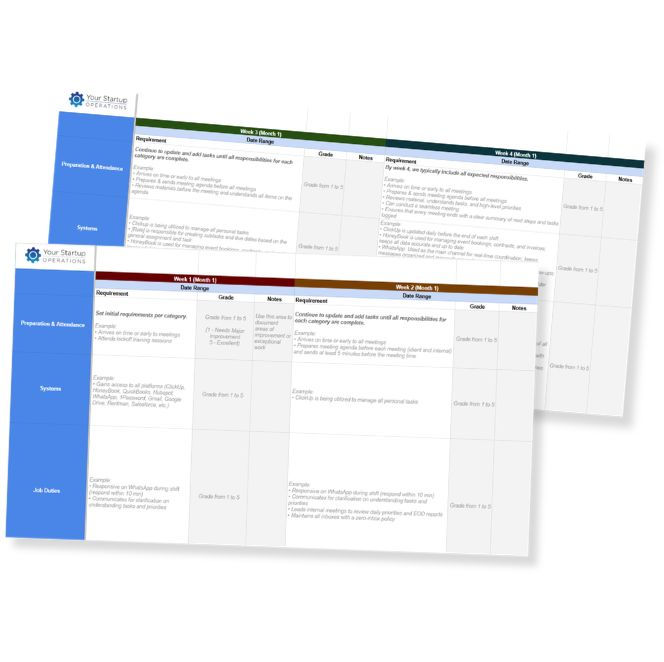
90-Day Onboarding
Template
A strong onboarding process helps new hires become productive without adding unnecessary work to your plate. Use this template to establish clear expectations, define responsibilities, and track performance during the first 90 days with confidence.

Best Practices for Creating an SOP
When important processes aren't documented, your team has to rely on you for answers. This guide walks you through creating clear, repeatable SOPs that make delegation easier, improve consistency, and help work move forward with less oversight.


