%20(1).png)

Client Onboarding for Event Vendors: Contracts, Deposits & Questionnaires Your VA Can Run


Client onboarding for event vendors is everything between a client's "yes" and your first planning meeting: a signed contract, a paid deposit, a completed questionnaire and a welcome email that says what happens next. A virtual assistant can run almost all of it, so you only step in for decisions.
That stretch is where good bookings go sideways. The client said yes on a call, then the contract sits unsigned for two weeks, the deposit invoice gets buried, and the questionnaire comes back the week before the event. Whether you plan weddings, cater corporate events, run a DJ company or rent photo booths, the fix is the same: a written onboarding process with one person who owns it.
Key Takeaways
Onboarding starts the moment a client says yes and ends when you have a signed contract, a paid deposit, a completed questionnaire and a booked planning call.
Send the contract and deposit invoice together, ideally as one booking document, within 24 hours of the verbal yes.
Tie every client deadline to the event date, not to "whenever you get a chance."
Fewer, clearer emails beat more emails. Clients ignore a flood; they act on one message with one next step.
A virtual assistant can send, track and follow up on every step inside the tools you already use, while you keep pricing and contract changes.
Client onboarding checklist for event vendors
Copy this into your project management tool or CRM and adjust the timing to your booking window. The timing is a suggested target, not a rule.
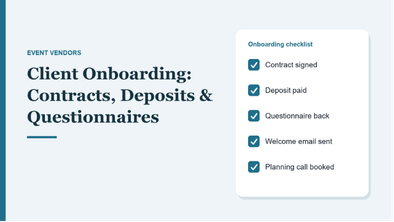
Day 0: client says yes
Send the contract and deposit invoice (one booking file if your software supports it)
Put a tentative hold on the event date in your calendar
Create the client project or folder and log the event date, venue and guest count
Days 1 to 3: signature and deposit
Follow up by email if the contract isn't signed within 48 hours
Confirm the deposit is paid and send a receipt
Change the date from tentative to confirmed
Days 3 to 7: welcome and details
Send the welcome email: what happens next, key dates, who to contact
Send the client questionnaire with a due date
Book the first planning call or design meeting
Request the venue's vendor requirements and certificate of insurance (COI) details
Before the planning call
Chase any missing questionnaire answers
Schedule the remaining payment reminders based on the contract's payment schedule
Add every client deadline (final headcount, design approvals, final payment) to the project timeline
Send the owner a one-page summary of the client, event and open questions
What should an event client onboarding process include?
Every event business onboards a little differently, but the same four pieces show up for planners, caterers, florists, DJs, rental companies and photo booth owners:
A signed contract that covers the date, services, payment schedule, cancellation terms and what happens if the event changes.
A paid deposit or retainer that confirms the date is theirs.
A client questionnaire that collects the details you need to plan, so you aren't chasing them across texts and emails.
A welcome email that tells the client what happens next, when, and who to contact.
This is different from the work before the booking (inquiries, quotes and proposals), which we cover in how to manage clients, quotes and event logistics with a VA. Onboarding starts after the yes.
How do you get event clients to sign the contract and pay the deposit faster?
Make it one step, not three. Most event software can bundle the contract, invoice and questionnaire into a single booking flow. HoneyBook, for example, describes its smart files as documents that let clients select a service, sign a contract, schedule a call and pay, all at once. Dubsado, Tripleseat and similar tools have their own versions.
Use e-signatures. The U.S. Chamber of Commerce notes that electronic signatures are widely accepted under federal law (the ESIGN Act) and recommends using a reputable e-signature platform. Nobody should be printing and scanning a contract to book a DJ.
Then follow up on a schedule instead of when you remember:
Same day: contract and deposit invoice go out together
48 hours: a short reminder if it's unsigned
Day 5: a second reminder that the date is held until a set deadline
Day 7: a personal note or phone call from your assistant to ask if anything in the contract needs a second look
What should go in an event client questionnaire?
Dubsado calls questionnaires "the most versatile type of form" and lists intake forms and welcome packets among their common uses. For event vendors, keep it to what you need before the first planning call, and save the rest for later check-ins.
Every event vendor: event date and times, venue name and address, venue contact, guest count estimate, main client contact and a backup, and how they prefer to be contacted.
Add by trade:
Planners: budget range, vendor list so far, must-haves, decision makers
Caterers: dietary needs and allergies, service style, kitchen access at the venue
Florists: color palette, inspiration photos, ceremony and reception pieces
DJs and entertainers: must-play and do-not-play lists, key moments, announcements
Photo booth and rental companies: design or template choices, delivery and pickup windows, power and space at the venue
Why do event clients ignore onboarding emails?
Usually because there are too many of them. One owner of a DJ, MC and photo booth company told us clients ignore their client portal "even though they got 40 emails." Photo booth designs arrived late, and final planning meetings got rescheduled two or three times.
The fix isn't more reminders. It's fewer, clearer ones:
One message, one next step. "Sign the contract" and "fill out the questionnaire" go in separate emails, a few days apart.
Deadlines tied to the event date. "Please send your must-play list by March 1, six weeks before your wedding" works better than "when you get a chance."
One person who owns follow-up. When the owner, a coordinator and the software all send reminders, clients tune out all of them.
For more on what slips when no one owns the client side, see 8 event assistant mistakes that quietly cost you clients.
What can a virtual assistant handle in client onboarding?
Nearly every step in the checklist above. At YSO, we place full-time event vendor virtual assistants (we call them ops assistants) who work inside the tools you already use, whether that's HoneyBook, Dubsado, Tripleseat, QuickBooks or a shared Google Drive. During onboarding, your assistant can:
Send contracts, deposit invoices and questionnaires the day a client says yes
Follow up by email, and by phone when a client goes quiet
Log deposits, update the date from tentative to confirmed and schedule payment reminders
Send the welcome email and book the first planning call on your calendar
Collect venue requirements and send your certificate of insurance (here's how to send a COI without it bouncing back)
Keep the project timeline current and send you a one-page client summary before the call
What stays with you: pricing exceptions, changes to contract terms, creative decisions and the relationship itself. Before an assistant starts, we map your current process into written SOPs. You cannot hand off what's never been written down, and onboarding is one of the first processes we document.
What does good event client onboarding look like?
These are suggested targets to measure your own process against:
Step | Suggested target |
Contract and deposit invoice sent | Within 24 hours of the verbal yes |
Contract signed and deposit paid | Within 7 days |
Welcome email and questionnaire sent | Within 1 business day of the deposit |
Questionnaire completed | Before the first planning call |
First planning call booked | Within 2 weeks of booking |
If most of your bookings miss these, the problem usually isn't the client. It's that no one owns the follow-up. Our event assistant workflow templates show how to turn this into a repeatable process.
Frequently Asked Questions
What is a client onboarding process for event vendors?
It's the set of steps between a client booking you and your first planning meeting: sending the contract and deposit invoice, confirming payment, sending a welcome email and questionnaire, and booking the planning call. A written process makes sure every client gets the same experience.
What should a client onboarding checklist include?
At minimum: contract sent and signed, deposit paid and receipted, date confirmed in your calendar, welcome email sent, questionnaire sent and completed, venue requirements and COI handled, payment reminders scheduled and the first planning call booked.
How much deposit should an event vendor take?
It depends on your trade, your market and your contract terms, so there's no single answer. Whatever you charge, state the amount, due date and refund terms in the contract, and don't treat the date as booked until the deposit is paid.
Can a virtual assistant send contracts and invoices for my event business?
Yes. A virtual assistant can send contracts and invoices from your software, track signatures and payments, and follow up with clients. You approve the templates and any changes to terms or pricing.
Is client onboarding the same as onboarding a virtual assistant?
No. Client onboarding is how you bring a new event client on board. Onboarding a virtual assistant is how you train a new team member, which is a separate process.
Give every client the same smooth start
Your clients judge the whole experience by how the first week feels. YSO maps your onboarding process, writes the SOPs and places a trained ops assistant who works only for your event business, with 90 days of support. See how it works for event vendors.
About Your Startup Operations
Your Startup Operations (YSO) is a Women-Owned Small Business (WOSB) certified, white-glove operations agency co-founded by Jenna Henao and Alexis Schomer. YSO helps event business owners and other service-based companies step out of daily operations by installing a dedicated Ops Assistant trained specifically for their business, typically helping owners reclaim 30–40 hours per week.
YSO has been featured in Forbes, Voyage LA, Authority Maximizer, EIN Presswire, and AP News.
Explore our event vendor ops services, see client outcomes on our case studies page, or get in touch to talk through what your business needs.
About the Author

Alexis Schomer is the Co-Founder and Marketing & Operations Expert at Your Startup Operations. She works with business owners to optimize operations, improve delegation, and build scalable systems that support sustainable business growth. Drawing on her experience in marketing, entrepreneurship, and business operations, Alexis believes effective delegation is about more than hiring a virtual assistant. It starts with selecting the right person, creating efficient workflows, establishing clear expectations, and providing the training and support needed for teams to succeed. This practical, systems-first philosophy guides every client partnership at YSO. Connect with Alexis on LinkedIn.
Reviewed by

Jenna Henao is the Co-Founder and Operations Expert at Your Startup Operations. She partners with business owners to streamline operations, strengthen workflows, and build reliable teams that drive long-term growth. With a background in entrepreneurship and business operations, Jenna has led initiatives across HR, finance, recruitment, operations, sales, marketing, and team leadership. She has helped businesses grow from six to seven figures by developing scalable systems, recruiting outstanding talent, and implementing processes that support lasting success. Connect with Jenna on LinkedIn.
Free Resources
Access practical tools, templates, and SOPs designed to simplify operations, improve delegation, and support business growth.

25 Tasks You Can Offload To Your VA Today
Your day fills up fast with follow-ups, inbox replies, scheduling, and admin.
This guide
shows exactly
what to hand
off first so
you can
stop doing it all yourself and
free up
real time.

The Ultimate Productivity Toolkit for Event Professionals
Managing clients, coordinating vendors, and handling daily administrative tasks can quickly fill your schedule. This toolkit shares five practical ways a virtual assistant can help streamline your workload so you can spend more time growing your business.

How to Send a Certificate of Insurance (COI)
Submitting a Certificate of Insurance doesn't have to be complicated.
This SOP
provides a clear, step-by-step process to help you submit accurate COIs, avoid delays, and keep approvals moving forward.


